
GPT Image 2 Deep Dive: Text, Layout, Editing, and Multilingual Visuals Get a Major Upgrade
OpenAI's new GPT Image 2 model is not just another image generator with sharper textures. It is a meaningful step toward image generation that can follow structure, preserve intent, render text, and perform useful edits inside real creative workflows.
If earlier image models felt strongest at mood boards and one-off concept art, GPT Image 2 feels more relevant to production work: product graphics, social ads, labeled diagrams, storyboards, UI mockups, educational explainers, and multilingual visual assets. The model's biggest promise is not only that images look better. It is that the generated image can more faithfully represent the prompt's layout, wording, and constraints.
You can try the workflow directly in our GPT Image 2 generator, where we built examples around structured prompts, exact layout, editing, and prompt patterns for visual consistency.
Why GPT Image 2 feels different
Most image models improved in a familiar order: more realism, better lighting, better style matching, then better prompt following. GPT Image 2 pushes harder on a different set of problems: visual reasoning, text placement, editing control, and layout fidelity.
OpenAI describes GPT Image 2 as a state-of-the-art model for high-quality image generation and editing. In ChatGPT, the broader Images 2.0 experience also introduces a "thinking" mode for more deliberate visual construction. That matters because many real design tasks are not just "make a beautiful image." They are closer to "make a 3 by 3 comparison grid with labels, keep the product centered, use consistent spacing, include the exact headline, and do not change the logo."
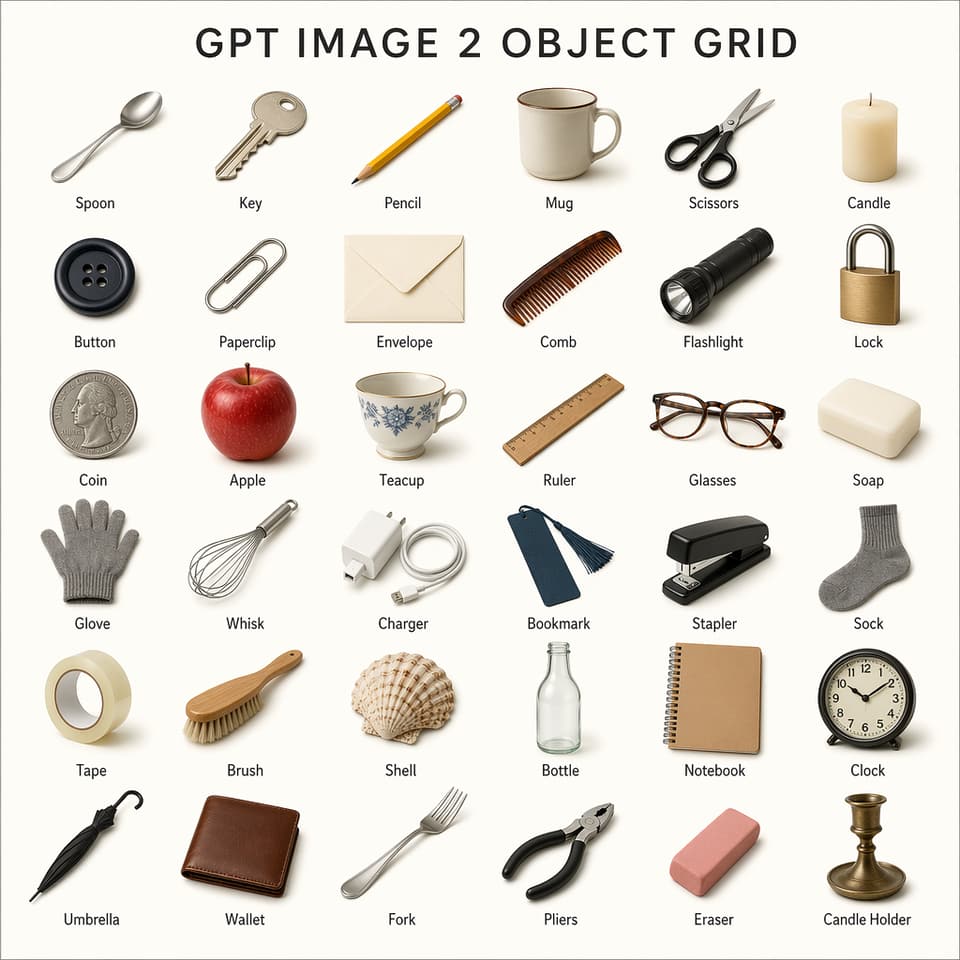
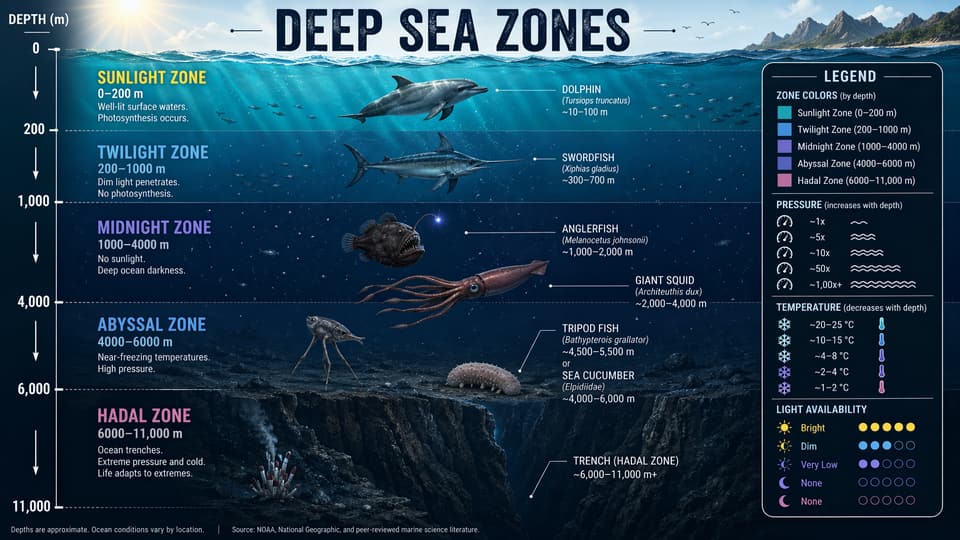
The image above is the kind of task where older systems often struggled. They could generate objects, but the structure might drift. Labels could become garbled. Spacing could collapse. GPT Image 2 is designed for prompts where the layout is part of the answer, not just a suggestion.
Text rendering is the headline upgrade
Text has always been one of the most visible weaknesses in AI image generation. A model might create a beautiful poster, but the headline would be misspelled. A product mockup might look convincing until the package text became unreadable. A chart could look professional while the labels made no sense.
GPT Image 2 makes text rendering much more useful for practical work. That does not mean every output will be perfect, and it still needs review before publication. But the difference is large enough to change what teams can ask for. Instead of avoiding text entirely, you can now build prompts that include headings, labels, captions, packaging copy, interface text, or multilingual examples.
For marketers, this makes draft campaign visuals faster. For educators, it makes labeled diagrams and classroom graphics more realistic to prototype. For creators, it makes thumbnails, posters, and carousels more direct because the model can incorporate words as part of the composition.
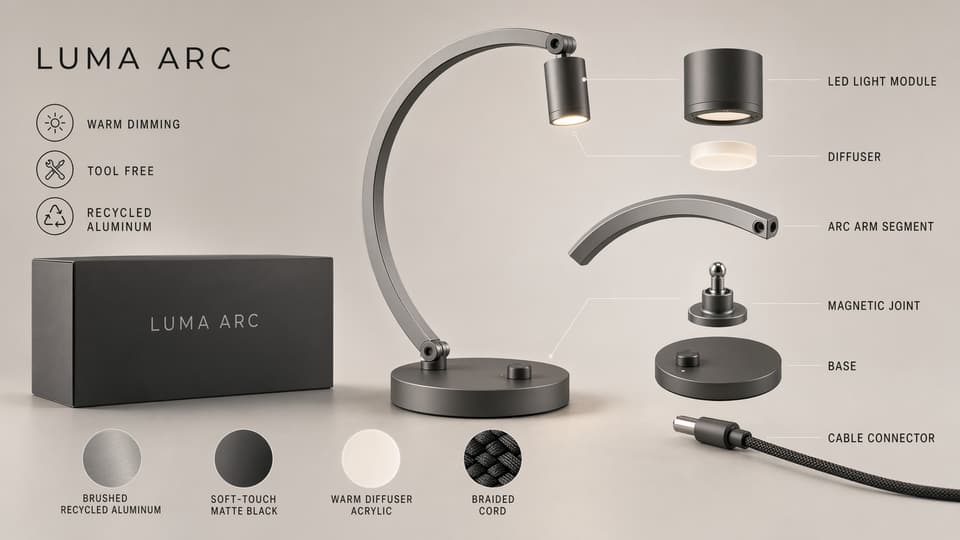
The key shift is that text no longer has to be treated as a separate design step every time. You may still refine typography in a design tool, but GPT Image 2 can get much closer to a usable first draft.
Layout control turns prompts into design briefs
GPT Image 2 is especially interesting when prompts become structured design briefs. Instead of writing one loose sentence, you can specify a visual system:
- The exact canvas format.
- A grid or column structure.
- The required labels and sections.
- The order of elements.
- The visual hierarchy.
- What should remain unchanged.
- What should be edited or replaced.
That style of prompting is more like art direction than keyword generation. The model can respond to instructions about spacing, sequence, and grouping, which makes it useful for repeatable creative formats.
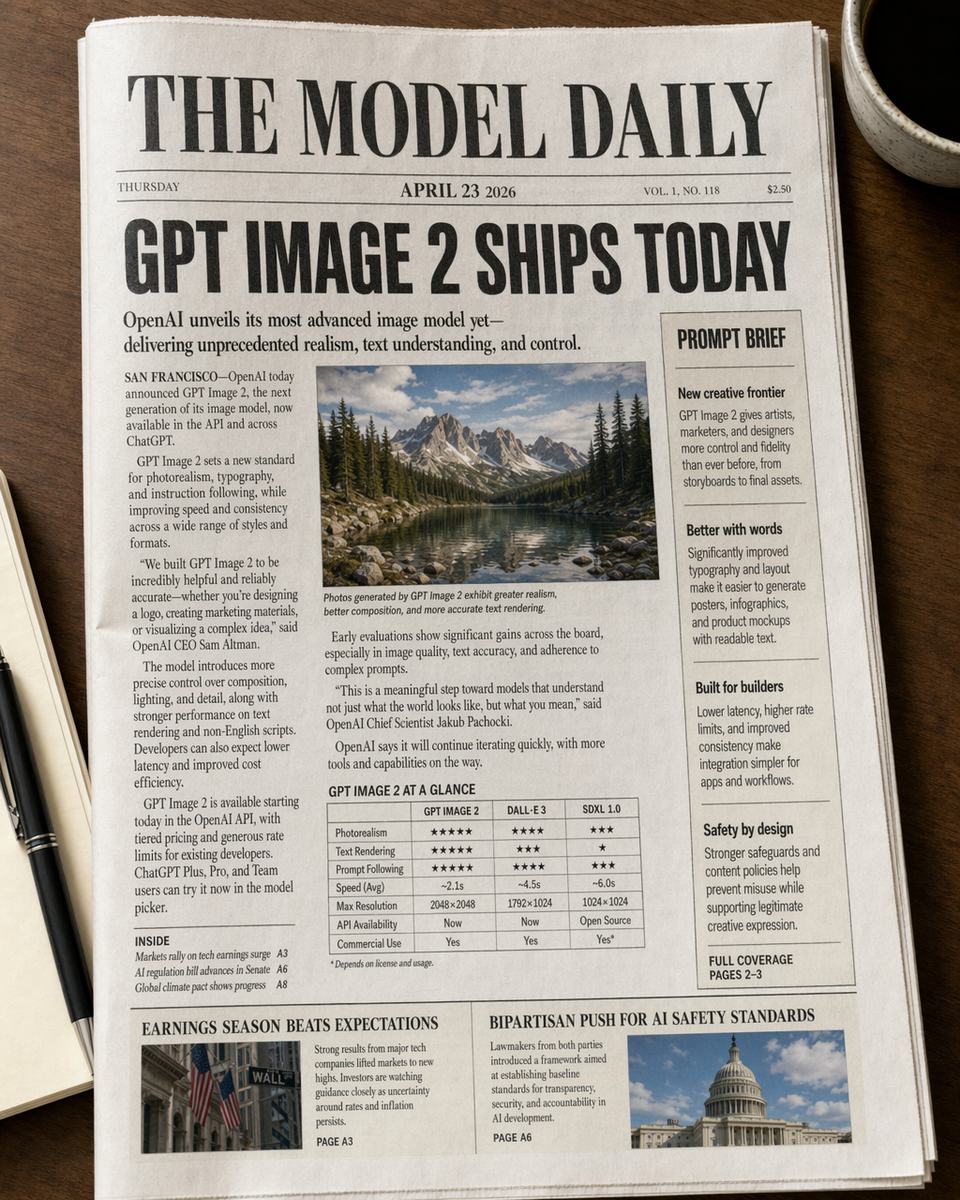
This matters for teams because the output becomes easier to compare against a requirement. If the prompt says "three columns, four labeled cards, centered title, no extra text," the review process is clearer. You are not just judging whether the image is attractive. You are checking whether it followed the brief.
Editing becomes more direct
Generation is only half of the workflow. The other half is iteration.
Real image work usually starts with a reference: a product shot, a portrait, a logo, a room, a previous campaign, or an existing design direction. The useful question is not always "Can the model create something new?" It is often "Can the model change only the part I asked it to change?"
GPT Image 2 improves the editing loop by making natural-language edits more practical. You can ask for a product to be placed into a campaign scene, a background to be replaced, text to be adjusted, an object to be moved, or a layout to be reformatted while preserving the important visual identity.
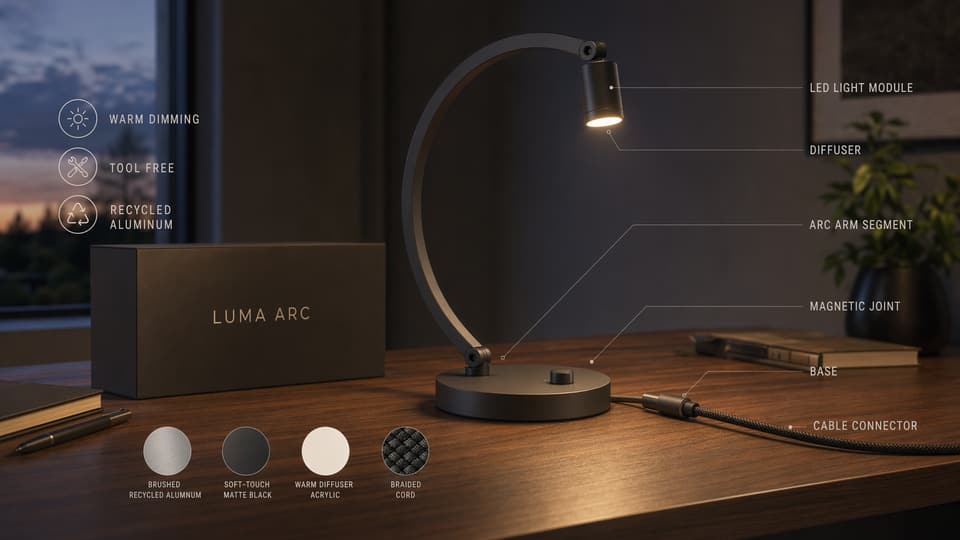
For ecommerce and advertising, this is a major workflow improvement. A team can start from a single product image and explore seasonal campaign directions, social ad variants, editorial banners, or marketplace-ready visuals without rebuilding every composition manually.
Multilingual visuals matter more than they sound
Multilingual support is not just a nice extra. It is one of the differences between a fun image tool and a useful global content tool.
Many sites and campaigns need versions for English, Chinese, Spanish, French, German, Japanese, Korean, Portuguese, Arabic, and other languages. If an image generator can only handle English reliably, teams still need a heavy manual localization process for every visual asset.
GPT Image 2's stronger multilingual text handling opens the door to faster localized drafts. This is useful for:
- Product launch graphics in multiple regions.
- App store screenshots and feature cards.
- Educational visuals with local labels.
- Social ads that keep the same design but change language.
- Multilingual infographics and explainer images.
There is still a responsibility to proofread every generated text layer, especially for non-English languages and regulated topics. But the workflow changes when the first draft is close enough to evaluate visually.
Multi-reference generation is where teams should pay attention
One of the most valuable patterns is using multiple references: a product image, a brand style, a character, a packaging design, or a layout example. In production environments, consistency matters as much as novelty. A beautiful image is not useful if the product changes shape, the logo drifts, or the style no longer matches the campaign.
GPT Image 2 is better suited to workflows where references are used as constraints. This makes it more useful for:
- Consistent product scenes.
- Character or mascot variations.
- Brand campaign systems.
- Before-and-after edits.
- Series-based social media creatives.
- Visual A/B testing.
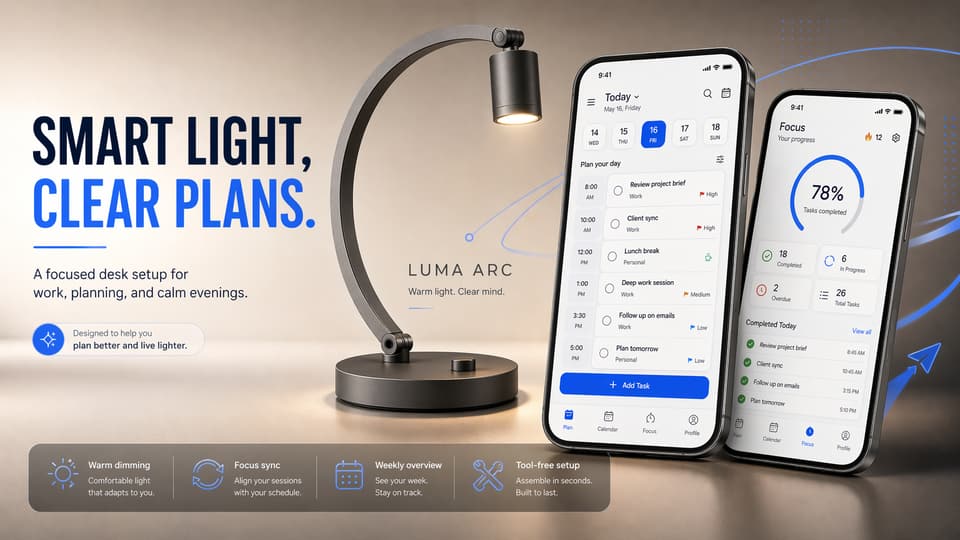
The practical advantage is speed. Instead of asking a designer to manually create ten early directions, a team can generate a range of structured options, select the strongest direction, and then polish the final asset with normal design review.
A better prompt format for GPT Image 2
The model rewards clear, structured prompts. For production-style work, try prompts that separate the creative brief into sections:
Goal: What should the final image accomplish?
Canvas: Aspect ratio, orientation, and output type.
Subject: The main object, person, product, place, or scene.
Layout: Grid, columns, hierarchy, alignment, spacing, and margins.
Text: Exact wording, capitalization, language, and placement.
Style: Lighting, material, color, lens, illustration style, or brand mood.
Constraints: What must not change, what must stay legible, and what to avoid.
Here is a practical example:
Create a clean 16:9 product feature graphic for a new AI image model.
Use a three-column layout with equal spacing.
Title at the top: "GPT Image 2 Workflow".
Column labels: "Prompt", "Generate", "Edit".
Use crisp typography, high contrast, and a modern software product style.
Keep every label readable. Do not add extra text.
That kind of prompt gives GPT Image 2 a clearer job. It reduces ambiguity and makes the output easier to judge.
What this means for creators and teams
GPT Image 2 is strongest when you treat it as a visual production assistant, not just an inspiration machine. It can help teams move faster through early creative exploration, especially when the task includes text, layout, or reference-based editing.
For designers, it can create structured drafts that are easier to refine. For marketers, it can generate campaign directions with readable copy. For ecommerce teams, it can produce product scenes and listing graphics faster. For educators, it can make diagrams, handouts, and infographics easier to prototype. For builders, it can turn interface ideas and content concepts into visual assets without waiting for a full design cycle.
The model still needs human review. Text must be proofread. Brand details must be checked. Claims should be verified. Sensitive or realistic imagery should be handled carefully. But the starting point is much stronger than before, and that is what makes GPT Image 2 important.
Try the GPT Image 2 workflow
If you want to test the model with structured prompts, exact labels, and layout-driven examples, open our GPT Image 2 generator. The page includes prompt ideas for grids, labels, object layouts, product visuals, edits, and multilingual image workflows.
For best results, start with a clear layout, specify the exact text, and include constraints. GPT Image 2 performs best when you give it the kind of brief you would give a designer.
Related GPT Image 2 pages
- Try the GPT Image 2 generator for structured prompts, layout tests, and text-heavy visuals.
- Use the AI image editor when you want to refine an existing visual, replace backgrounds, or iterate on a previous result.
- Open the image to image tool if you want to keep a reference image and generate close visual variations.
- Read Best GPT Image 2 Prompts for reusable prompt templates.
- Compare workflows in GPT Image 2 vs Midjourney.
- See commercial examples in How to Use GPT Image 2 for Product Photography and Ad Creatives.